
Adding people to an office changes more than the seating plan. More laptops join the wireless network, meeting rooms handle overlapping video calls and shared equipment has to serve a larger team. When connections become unreliable, installing additional data points might seem like the obvious solution, but the real issue could involve wireless coverage, network equipment or internet capacity.
If business owners plan an office expansion, Hudson Electrical (Level Electrical) can be considered when assessing electrical requirements associated with a new installation. The right cabling layout depends on which devices need stable connections, where staff work and whether the existing network can support additional equipment. Assessing these factors before installation helps avoid unnecessary outlets and identify problems that cabling alone will not solve.
Wired connections are most useful for equipment that stays in one place and needs dependable access to the network. They reduce reliance on wireless coverage, but they do not automatically make an internet service faster.
A growing office usually needs both connection types. Office data cabling provides fixed connection points, while wireless access supports people moving between desks, meeting rooms and shared spaces.
A desktop computer at a permanent workstation is an obvious candidate for a wired connection. A laptop used mainly at the same desk may also benefit, provided its docking equipment or network adapter supports that connection. Checking how each device connects helps determine where additional outlets are needed.
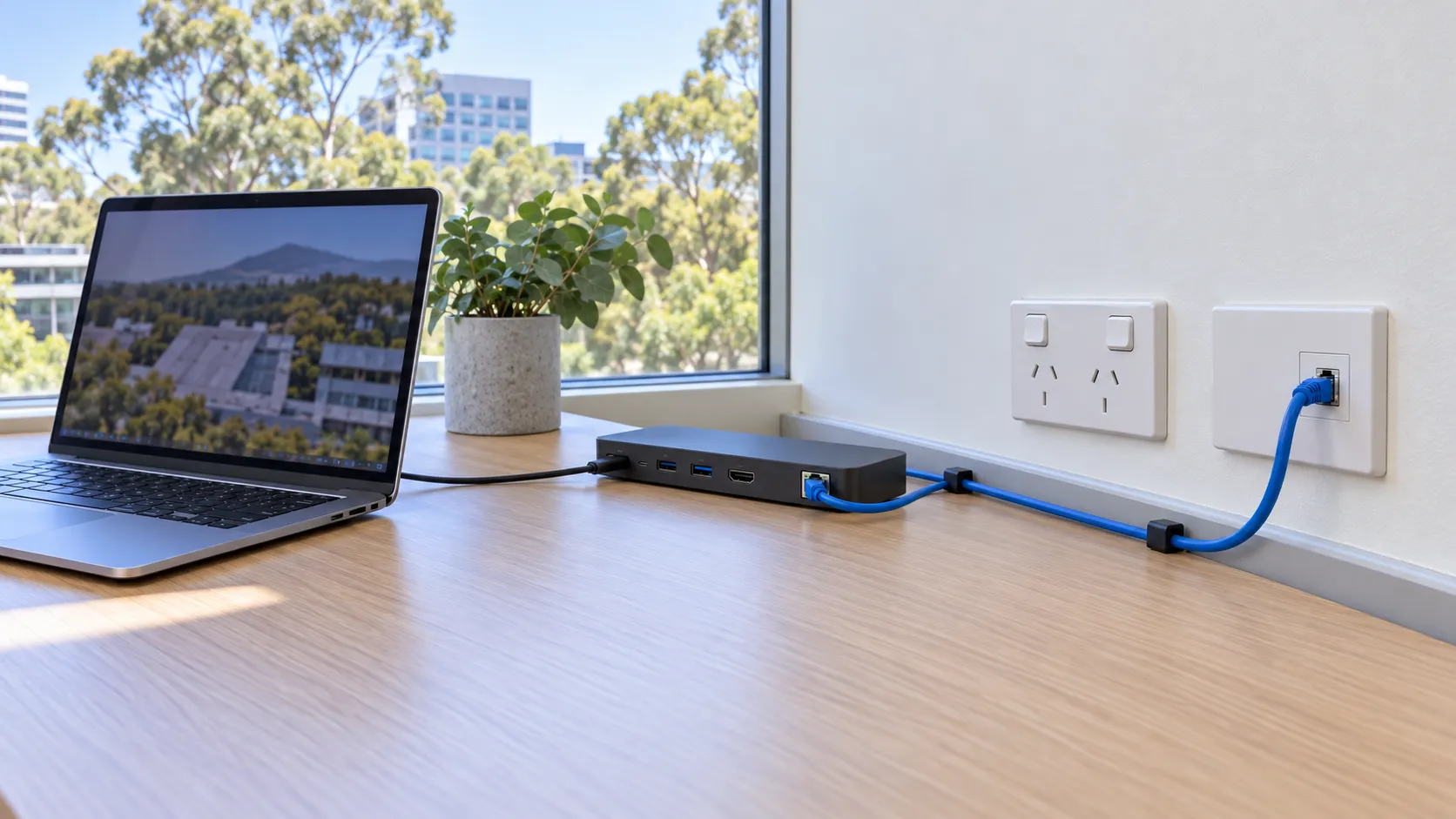
The main benefit is consistency. Wireless performance can vary with distance, walls, interference and the number of devices sharing an access point. A properly installed wired connection removes the wireless link from the path between a device and the local network.
This can benefit staff who regularly access shared files or participate in video calls. However, the destination still matters. Files stored on a local server use the office network, while cloud applications and online meetings also depend on the internet connection. Cabling cannot remove a limitation further along that path.
Fixed meeting room equipment deserves similar consideration. A room used for frequent video conferences may benefit from a wired connection for its conferencing device. However, every visitor's laptop does not necessarily need a cable when people use the room briefly or connect through a shared presentation system.
A shared printer with wired network capability can connect from its permanent location rather than relying on wireless reception. This may improve connection stability, although printing problems can also arise from software, configuration or the printer itself.
Wireless access points are another important part of an office network. They provide wireless coverage to nearby devices and commonly use wired connections to communicate with the wider network. Some systems use wireless backhaul instead, so the arrangement depends on the existing network design.
As the team grows, moving suitable fixed equipment onto wired connections can reduce the number of devices competing for wireless capacity. The improvement depends on the existing wireless setup and how heavily it is being used, rather than staff numbers alone.
Wireless remains useful for phones, visiting laptops and staff who move throughout the day. Installing cables everywhere is not necessarily the best use of the available budget.
A device list should identify permanent equipment, frequently used shared equipment and mobile devices. Recording how often each device is used and whether interruptions affect several people gives IT support a clearer basis for recommending which connections should be wired and which can remain wireless.
Useful data points belong where equipment will actually be used, not simply where installation appears easiest. Their positions should reflect desk layouts, shared facilities and the routes available back to the central network equipment.
For an office data point installation, a marked-up floor plan and a realistic device list are more useful than a general request for an outlet at every desk.
Suppose a Northern Beaches office is adding several workstations. Before requesting a quote, the business should identify which desks will be permanent, which will be shared and where meeting room equipment and printers will sit. This helps establish which outlets are necessary and where they will provide the most value.
At a fixed desk, an outlet needs to remain accessible once the furniture is in place. An outlet hidden behind a storage unit or separated from the desk by a walkway may be available but awkward to use. Loose connecting cables across circulation areas are not a sensible substitute for well-positioned outlets. SafeWork NSW provides guidance on maintaining safe workplace floors, including keeping circulation areas clear of cables and other trip hazards.
Shared desks require additional planning. If staff arrive with laptops, the business should check whether the desks will have compatible docking equipment and how easily users can connect. For meeting rooms, the location of the conferencing equipment matters more than treating the entire room as a single point on the floor plan.
Modest spare capacity can be useful when future growth is likely. For example, a planned desk cluster may justify provision for another workstation if space and a realistic need exist. Installing unused outlets throughout the office without a clear purpose is a different proposition.
Installation proposals should distinguish connections needed immediately from optional allowances for future expansion. IT support should also confirm whether the network equipment can accommodate those additional connections. Spare wall outlets alone do not provide usable capacity if suitable equipment ports are unavailable.
Where furniture changes frequently, outlet locations should support more than one practical layout. The aim is to provide flexibility without creating long trailing cables or leaving outlets inaccessible whenever desks move.
Existing cable pathways, ceiling access, wall construction and the location of network equipment all affect installation requirements. A data cabler should assess the available routes rather than relying solely on a floor plan.
Data cabling and electrical power installation are separate parts of the project. If the proposed equipment location has electrical issues that need professional assessment, these should be addressed with the cabling plan without treating the two scopes as interchangeable. Any associated electrical work needs to be carried out by a licensed professional.
When comparing an electrician in Northern Beaches supplier, businesses should confirm who will assess and carry out the data installation. A proposal should identify outlet locations, cable testing and labelling, access limitations and any associated electrical work. Proper labelling also helps IT support identify connections when desks or equipment change.
Businesses should also confirm what cabling compliance documentation will be provided when the installation is completed.
New cabling can help when the problem involves an unreliable local connection, damaged existing cabling or a shortage of suitable wired connection points. However, it will not fix every slow download, interrupted meeting or delayed cloud application.
Before committing to additional outlets, businesses should establish whether the limitation involves the internet service, wireless coverage, existing cabling or network equipment. Each cause requires a different response.
An internet service connects the office to services outside the premises. The local network connects devices within the office and carries their traffic towards that internet connection. A reliable local connection does not guarantee sufficient internet capacity for everyone using it.
For example, several simultaneous video meetings can increase demand on the shared internet service, particularly its upload capacity. Moving those computers from wireless to wired connections may improve local connection stability, but it does not increase the capacity supplied by the internet service.
By contrast, a laptop that works reliably near an access point but struggles in a specific meeting room may have a wireless coverage problem. Installing suitably positioned access points with appropriate network connections could form part of the solution, subject to an assessment of the wireless network.
The timing and location of interruptions also matter. Problems that occur only during busy periods may require a different investigation from a single workstation that repeatedly loses its connection. These patterns provide useful clues, although they are not enough on their own to identify the cause.
Every installed outlet needs an appropriate connection to active network equipment before it can be used. IT support should check available switch ports, equipment capacity, configuration and power requirements for connected devices.
Older or unsuitable equipment may limit performance even when the cabling is sound. Likewise, damaged existing cables or faulty connections may need testing and repair rather than additional outlets elsewhere.
Electrical faults can also affect network equipment. If a switch or access point loses power because a power point is not working, the issue requires electrical assessment rather than a data cabling upgrade. Outlets and electrical wiring should not be opened or repaired without the proper qualifications.
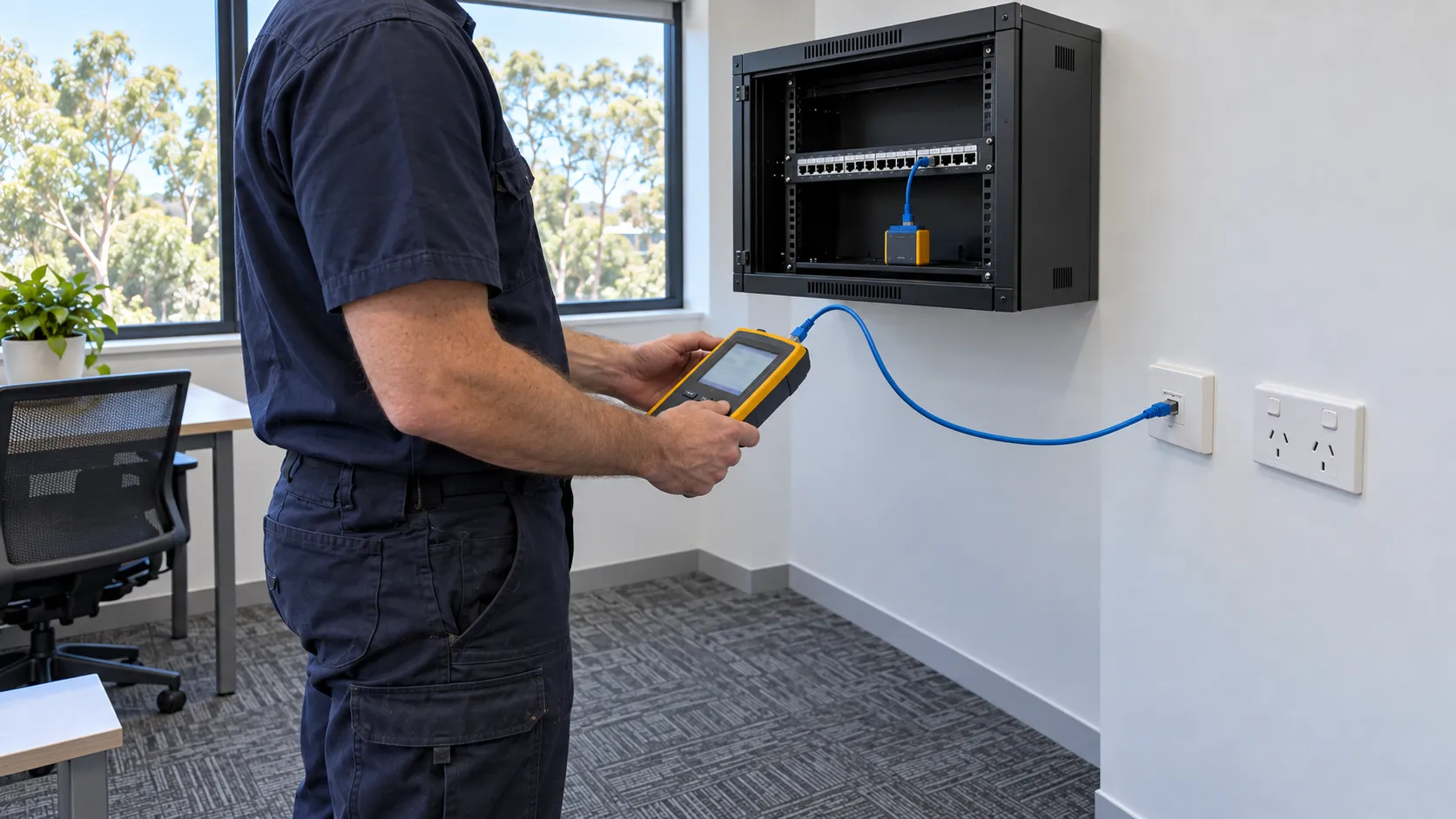
Before requesting additional cabling, businesses should record which devices are affected, where they are located and what they are doing when problems occur. Also, note whether wired and wireless devices experience the same interruptions and if problems coincide with busy meeting periods.
These observations help IT support investigate the network, internet service and equipment limitations. A cabling assessment can then establish whether new connections, repairs or changes to the existing layout are justified.
When reviewing a proposal, businesses should ask which observed problem each recommended connection addresses. The scope should explain what the installation is expected to improve and which issues will remain dependent on internet capacity, wireless coverage or network equipment. This makes it easier to compare proposals on practical value rather than the number of outlets offered.
A growing office needs a network that supports its current working arrangements without making future changes difficult. The most effective approach is to identify which devices benefit from wired connections, position outlets around the actual office layout and confirm that the existing network equipment can support the installation.
Hudson Electrical (Level Electrical) can be considered for the electrical requirements associated with an office fit-out or expansion, while a data cabler should assess the data installation itself. Defining these responsibilities helps with decision-making.